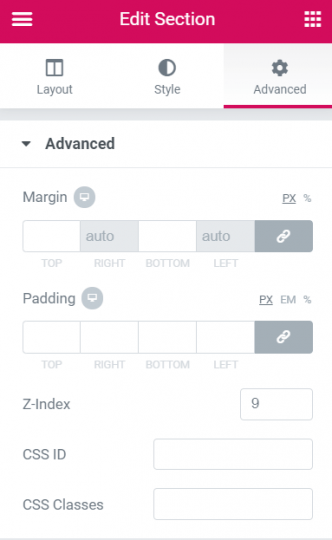
One exception is the section containing the element or elements you want to have the parallax effect. Create that section and give it the CSS class ‘parallaxsection’. Also give it a z-index of 4.
The other exception is the section where you will want the parallax section to show up. Just put a spacer in there corresponding to the desired height. Give both of these sections the same background.
And finally, the required CSS to make the parallax section sticky, so that it is always behind everything until you get to the blank section.